Chrome extensions / Private Screenshot Redactor

Hide the details.
Keep the context.
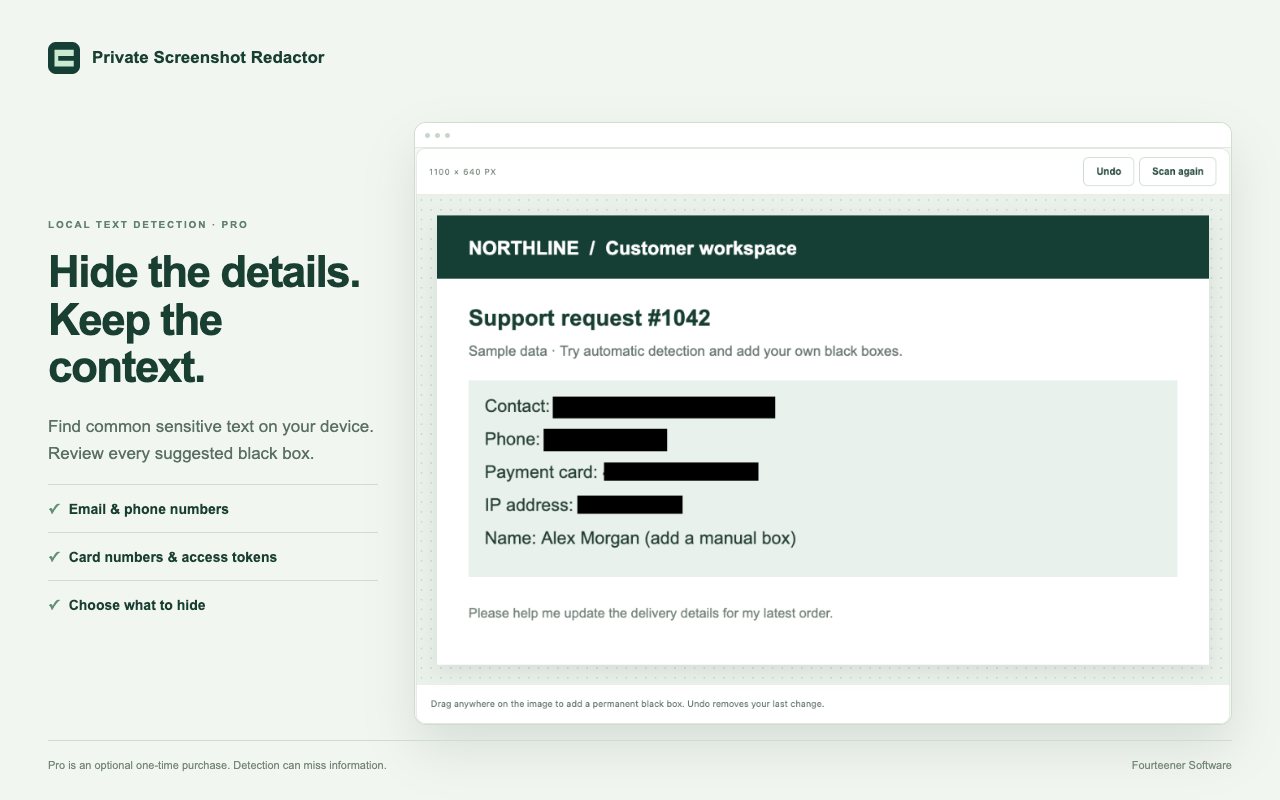
Capture your tab, black out emails, phone numbers, card numbers and tokens, and share a clean screenshot. Text detection runs on your computer, and nothing is uploaded.
How it works
Capture. Review. Share.
Capture
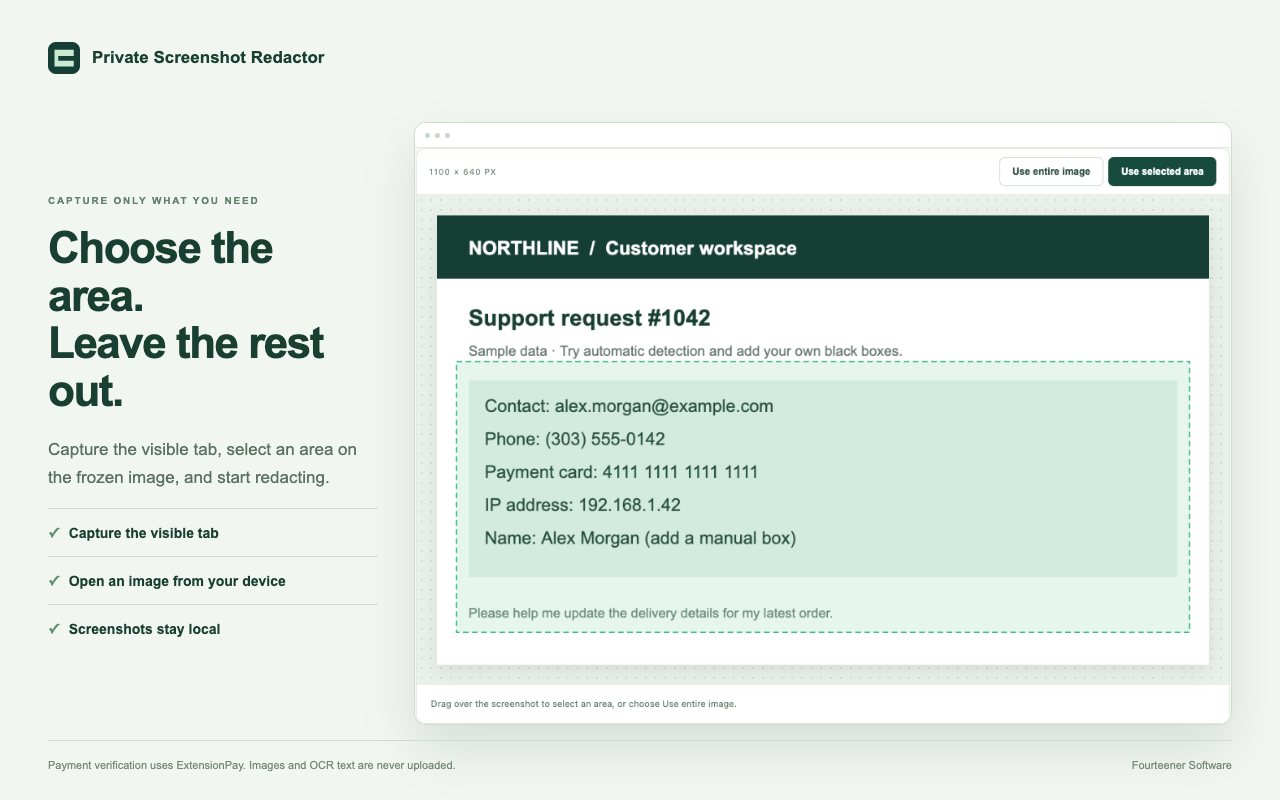
Click the extension to capture the visible tab, or open a PNG, JPEG or WebP. Then pick the area you want to share.
Review
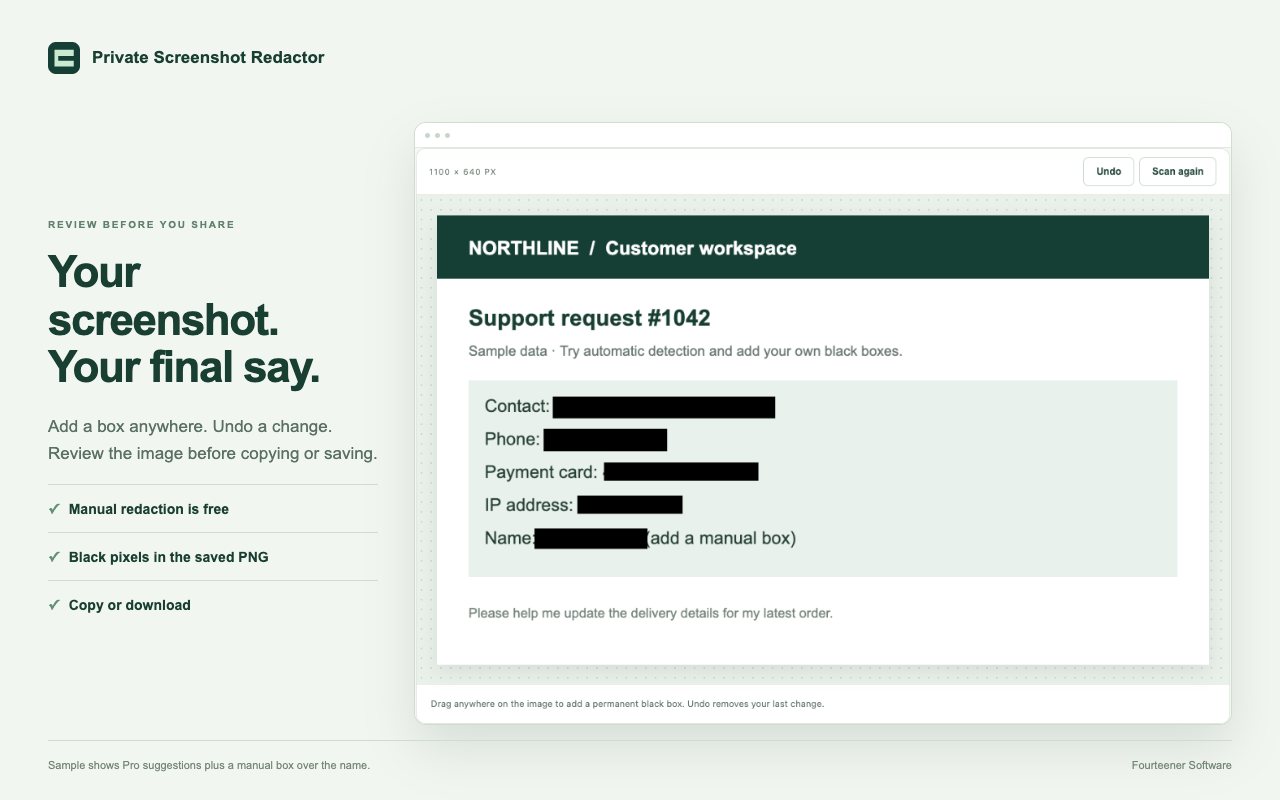
Pro suggests black boxes for sensitive text. Turn any off, or drag to add your own. Undo is one click away.
Share
Confirm you've reviewed it, then copy the finished image or save a PNG. The black boxes are painted into the pixels.
Your final say
Nothing leaves until you've checked it.
Every edit asks for a fresh review. Export stays locked until at least one black box is on and you've confirmed the image is ready.
Capture only what you need
Choose the area. Leave the rest out.
Select just the part of the screen that matters on a frozen screenshot, or use the whole image.
Features
Built for safe sharing.
- Visible-tab capture with one click, plus image import.
- Crop to an area on a frozen screenshot.
- Manual black boxes, undo and review, free.
- Real redaction: black pixels in a new PNG, not an editable overlay.
- Copy or save the finished image.
- Local text detection for emails, phone numbers and IP addresses (Pro).
- Card numbers, US SSNs and access tokens flagged too (Pro).
- Saved detection categories so it finds what you care about (Pro).
Pricing
Free to use. Pro when you need it.
Free
- Capture, crop and import images
- Manual black boxes and undo
- Required review before export
- Copy or save a flattened PNG
Pro
- Everything in Free
- Local English text recognition
- Suggested boxes for sensitive details
- Saved detection-category preferences
Pro is paid through ExtensionPay and Stripe. Internet access is needed to verify Pro; screenshots are still processed on your device.
Screenshots never leave your computer
Images and recognized text are processed locally and never uploaded to us, ExtensionPay, Stripe or an OCR service. No screenshot history, analytics or ads. Privacy policy
Questions
Good to know
Will it catch everything?
No tool can promise that. Detection helps, but it can miss or misread text, especially small print or unusual layouts. Names, addresses, faces and handwriting usually need a manual box. Always review the whole image before sharing.
Can someone remove the black boxes?
No. Export paints solid black pixels into a brand-new PNG. There are no layers to peel back, and the original image's metadata isn't carried over.
Can it capture a whole scrolling page?
It captures what's visible in the tab, not a full scrolling page. Some protected browser pages can't be captured at all.
Does it keep my screenshots?
No. There's no screenshot history. The capture lives in memory until you close the editor or click Discard. Copies you've already pasted or saved stay wherever you put them.
What languages does detection support?
English. The recognition model is bundled with the extension, so detection works without sending your image anywhere.
Share screenshots without the worry.
Private Screenshot Redactor is coming to the Chrome Web Store.