Chrome extensions / LabelTrim
4×6 labels.
Ready to print.
Turn full-page shipping-label PDFs into clean 4×6 labels for your thermal printer. Draw around the label, check the preview, download. No more wasted paper or shrunk barcodes.
How it works
Add. Crop. Print.
Add your PDFs
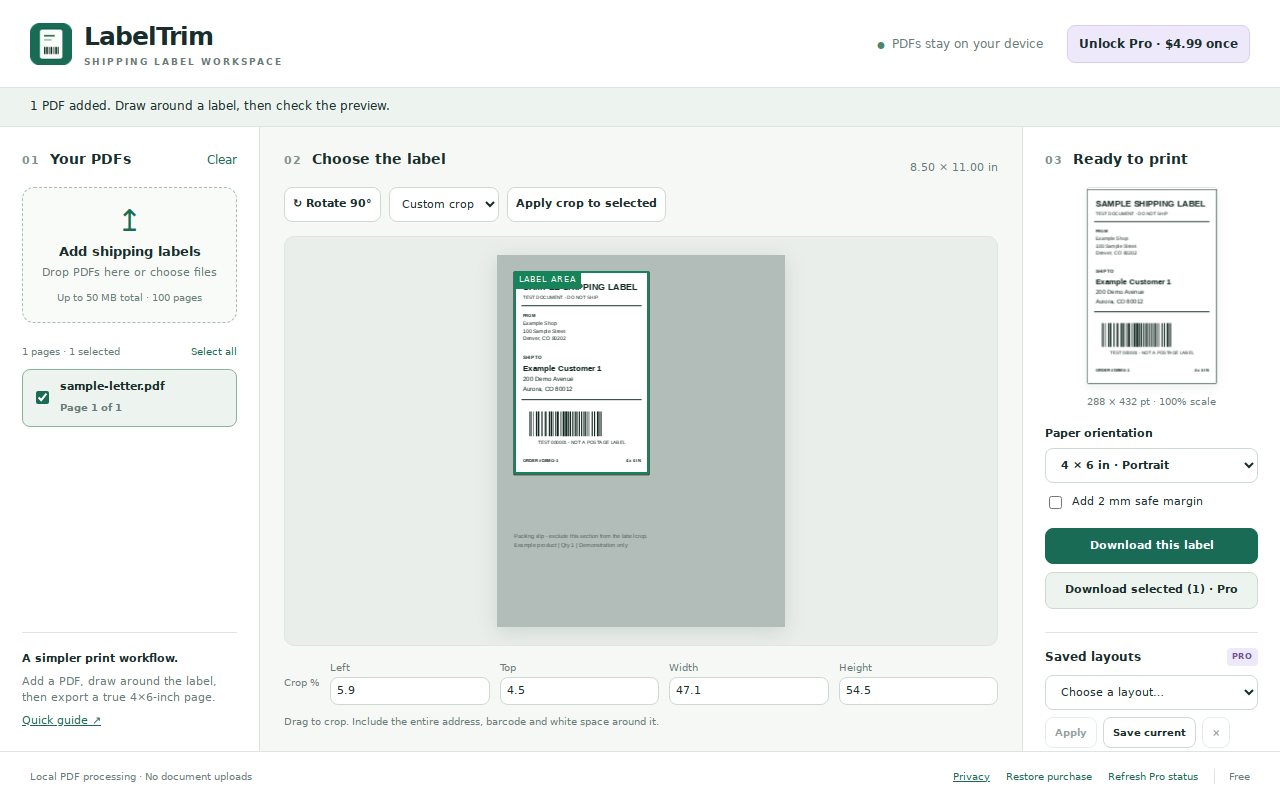
Click the toolbar icon and drop in the label PDFs you downloaded. Up to 100 pages and 50 MB per batch.
Choose the label
Rotate if needed, then draw around the whole label, or use a half-page preset or exact crop percentages.
Download and print
Get a 4×6 portrait or 6×4 landscape PDF. Print at Actual size / 100% on 4×6 paper.
Batch export
A whole day's labels in one PDF.
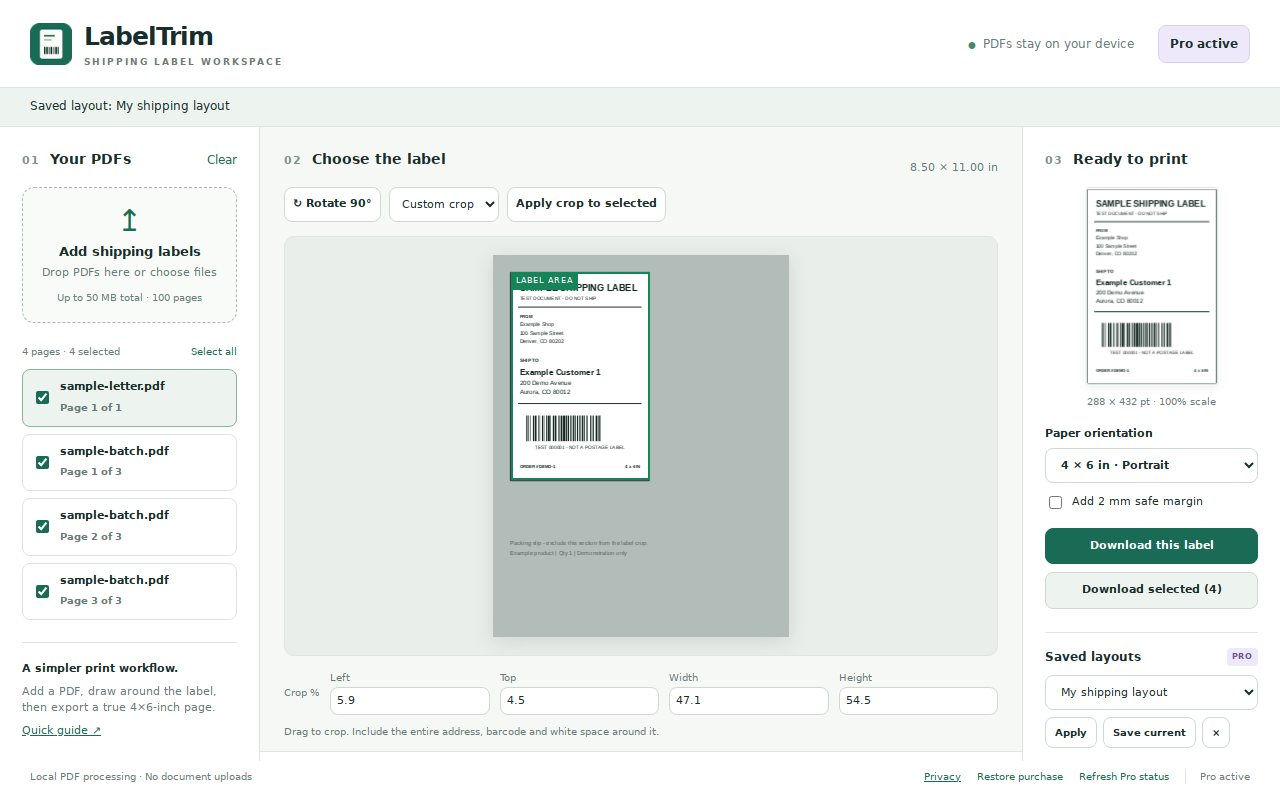
With Pro, select labels from several PDFs and export them together, and save your crop as a named layout so the next batch takes seconds.
Features
Made for people who ship.
- Visual crop: draw around the label, or type exact crop percentages.
- Half-page presets for the common letter-size label layout.
- Rotate pages in 90° steps.
- 4×6 portrait or 6×4 landscape output pages.
- Optional 2 mm safe margin so nothing gets clipped.
- Live preview of the exact page before you download.
- Batch export of selected labels from many PDFs (Pro).
- Saved layouts for the carriers and marketplaces you use (Pro).
Pricing
Free to use. Pro when you need it.
Free
- Unlimited single-label exports
- Visual crop, presets and percentages
- Rotation, orientation and margin
- Preview before export
Pro
- Everything in Free
- Combine selected labels from multiple PDFs into one PDF
- Save and reuse named crop layouts
Pro is paid through ExtensionPay and Stripe, separately from the Chrome Web Store.
Your PDFs stay on your computer
Labels, addresses and barcodes are processed locally and never uploaded to us or anyone else. No analytics, no ads. Pro purchases go through ExtensionPay and Stripe. Privacy policy
Questions
Good to know
Which printers does it work with?
Any printer that can print a PDF on 4×6 paper, including common thermal label printers. LabelTrim makes the PDF; your printer settings do the rest. Choose 4×6 paper and print at Actual size / 100%.
Will the barcode still scan?
LabelTrim keeps the label's proportions, so barcodes aren't stretched. It can't guarantee every barcode scans, so check your first printed label before shipping.
Does it buy postage or connect to my carrier?
No. It works with label PDFs you've already downloaded. It doesn't buy postage, create labels or connect to carrier accounts, and it isn't affiliated with any carrier or printer maker.
Are there file limits?
Up to 100 pages and 50 MB per batch. Encrypted PDFs aren't supported, and interactive form fields should be flattened first.
Does cropping hide the rest of the page?
It leaves the rest of the page out of your label PDF, but cropping isn't secure redaction. Don't rely on it to remove sensitive information from a document.
Stop wasting label paper.
LabelTrim is coming to the Chrome Web Store.